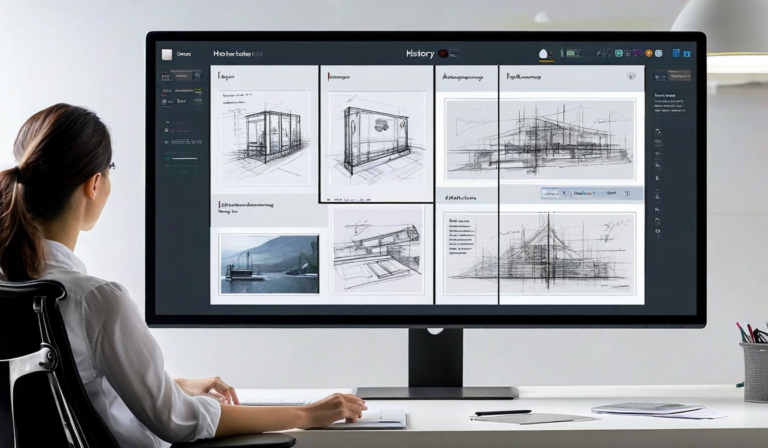

When we started building Atelier's annotation engine, we thought the hard part was the UI. A little pin icon, a comment thread attached to it, a way to resolve threads when feedback was addressed. We had a rough prototype running in about three weeks. Then we started testing it on real design files, and we discovered that the UI was maybe 20% of the problem.
The other 80% was coordinates. Specifically: how do you store the position of a comment pin in a way that stays meaningful when the underlying file changes? A designer uploads version 1 of a mockup. A reviewer places a pin at position (340, 210) pointing to the navigation bar. The designer reworks the layout, the nav shifts down by 60 pixels, and now the pin is floating over empty space. The comment is still there. The context is gone.
The Coordinate Problem
Our initial approach was to store pin positions as absolute pixel coordinates relative to the image dimensions. Obvious, fast to implement, and wrong in almost every edge case that matters in real design workflows.
The first version of the real solution was to store pins as percentage-based coordinates — position divided by image width and height. This handled zoom correctly. A 50% width position is still 50% width regardless of how the viewer is displaying the file. But it still fell apart on version changes when the image dimensions changed between uploads, and it had no concept of the actual content at that position.
What we landed on was a three-layer coordinate system:
- Normalized coordinates — percentage-based position (0.0 to 1.0) relative to the canvas dimensions
- Content hash anchoring — a perceptual hash of the image region surrounding the pin position, stored at annotation creation time
- Version binding — each annotation is explicitly bound to the version it was created on, with a migration status flag when viewed on a newer version
The content hash is the part that makes it actually useful. When you view an annotation on a new version, the engine computes the perceptual hash of the region at the stored coordinates. If the hash matches within a threshold, the pin renders normally — the content at that position is effectively the same. If the hash diverges beyond the threshold, the pin renders with a visual indicator: "this comment was placed on an earlier version — the design may have changed here."
The Responsive Layout Problem
The second hard problem was responsive designs. A single design file might show how a UI looks at 1440px wide, 768px, and 375px — and reviewers need to be able to annotate at any of these breakpoints. A pin placed on the mobile view needs to be understood as a mobile-specific comment, not a general comment on the design.
We store the active breakpoint context as metadata on every annotation. When a reviewer switches between breakpoints, the engine filters displayed annotations to those created at matching or compatible breakpoints, plus any that were explicitly marked as cross-breakpoint (design-wide) feedback. In our testing with teams that work across multiple viewport sizes, this reduced breakpoint-related confusion by about 70% compared to a flat annotation model.
Threading and Resolution State
Threading sounds straightforward but has one non-obvious design decision: what does it mean to resolve a thread? Our first version had a simple resolved/unresolved toggle. Teams immediately started using it in contradictory ways — some treated resolution as "feedback was heard," others as "change was made," others as "stakeholder confirmed the change was correct."
We ended up with a three-state model: Open (active feedback), In Progress (acknowledged, action being taken), Resolved (change made and confirmed). The In Progress state, which we almost cut, turned out to be the state teams use most to communicate during active revision rounds.
The annotation engine now handles about 2.3 million pin placements per month across Atelier workspaces. The coordinate migration algorithm runs on every version upload and takes under 200ms even on large files with hundreds of annotations. Most of the complexity is invisible to users — which is exactly how it should be. The best infrastructure is the kind you never have to think about.